

eXpressML Module
Digital Interoperability for eXpress
The eXpressML module extends the eXpress diagnostic engineering environment with full support for eXpressML, DSI’s open-format, XML-based diagnostic modeling language. It enables seamless data exchange, remote model manipulation, and structured reporting — all using a standardized, machine readable format.
Note: If you have level-two access to the DSI Web Site, you can download the latest eXpressML schema from the “Standards, Schemas & Interfaces” section on your User Dashboard.
Why eXpressML Matters
The eXpressML module enables:
- Interoperability between eXpress and external engineering, logistics, or diagnostic systems
- Automation of model ingestion and export in larger toolchains
- Remote model management, especially when paired with the ISDD module
- Standardized data exchange, reducing custom scripting or manual translation
- Improved governance, since eXpressML provides a transparent, structured representation of diagnostic models
Ideal Use Cases
- Integrating eXpress with PLM, MBSE, or digital‑thread environments
- Automating model updates from distributed engineering teams
- Exporting diagnostic data for downstream analysis or custom reporting
- Building custom tools that consume or generate eXpressML
- Remote or programmatic model validation and ingestion
Core Capabilities
1. Import eXpress Models from eXpressML
The module allows eXpress to ingest model data directly from eXpressML documents.
- Importing is data-centric — it builds a model from whatever valid data is present, even if incomplete.
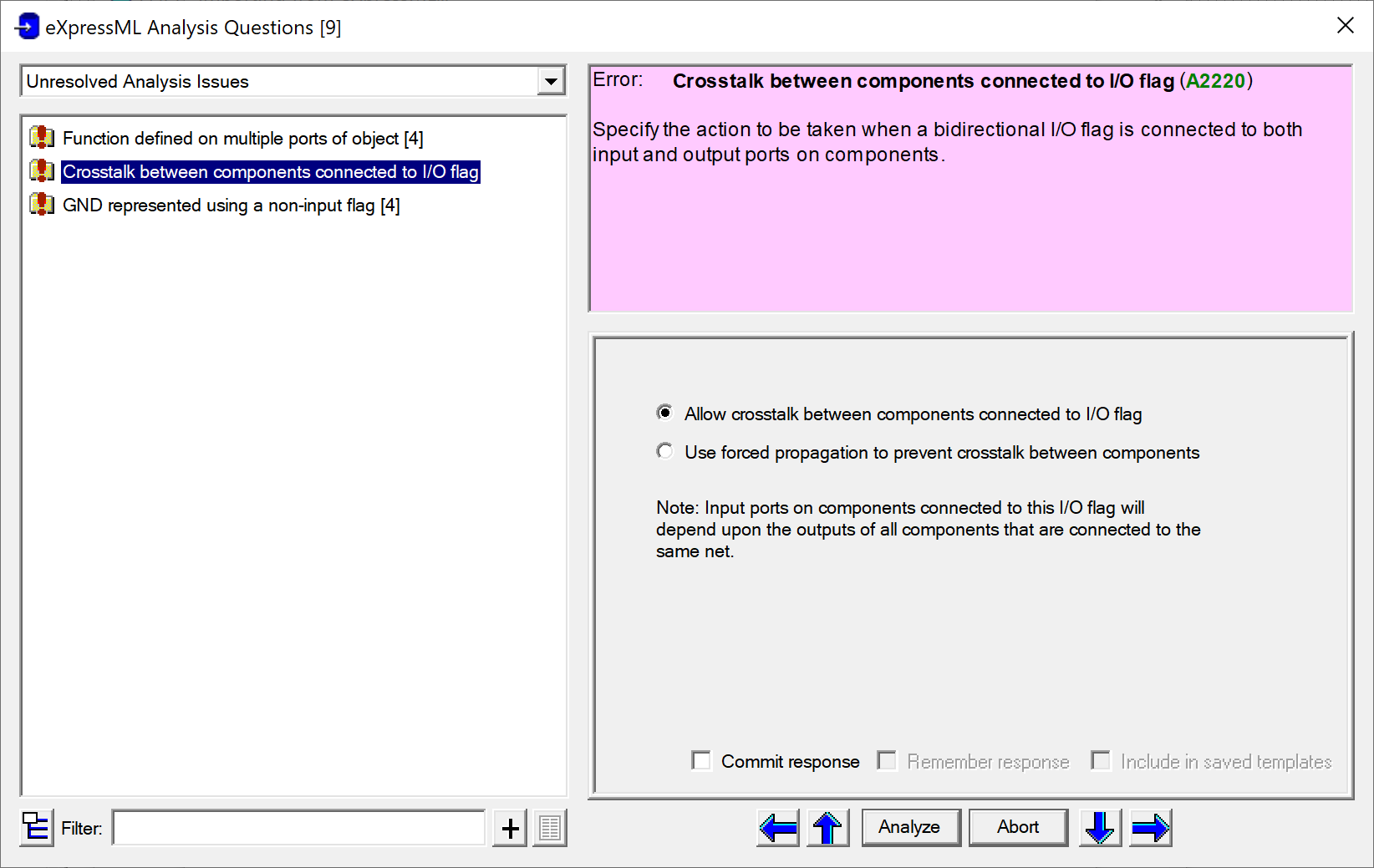
- The import process runs through four phases: parsing, validation, analysis, and importing.
- During validation/analysis, users can interactively resolve ambiguous or missing data.
- When paired with the ISDD module, imports can be performed remotely over TCP/IP, with validation handled through interactive client/server queries.
Here is an example of the dialog that appears when the eXpressML module encounters issues during the analysis phase of importing from eXpressML. This dialog provides users with options for determining how each issue should be resolved. (NB: when importing remotely using the ISDD module, these issues are addressed programmatically.)
2. Export eXpress Models to eXpressML
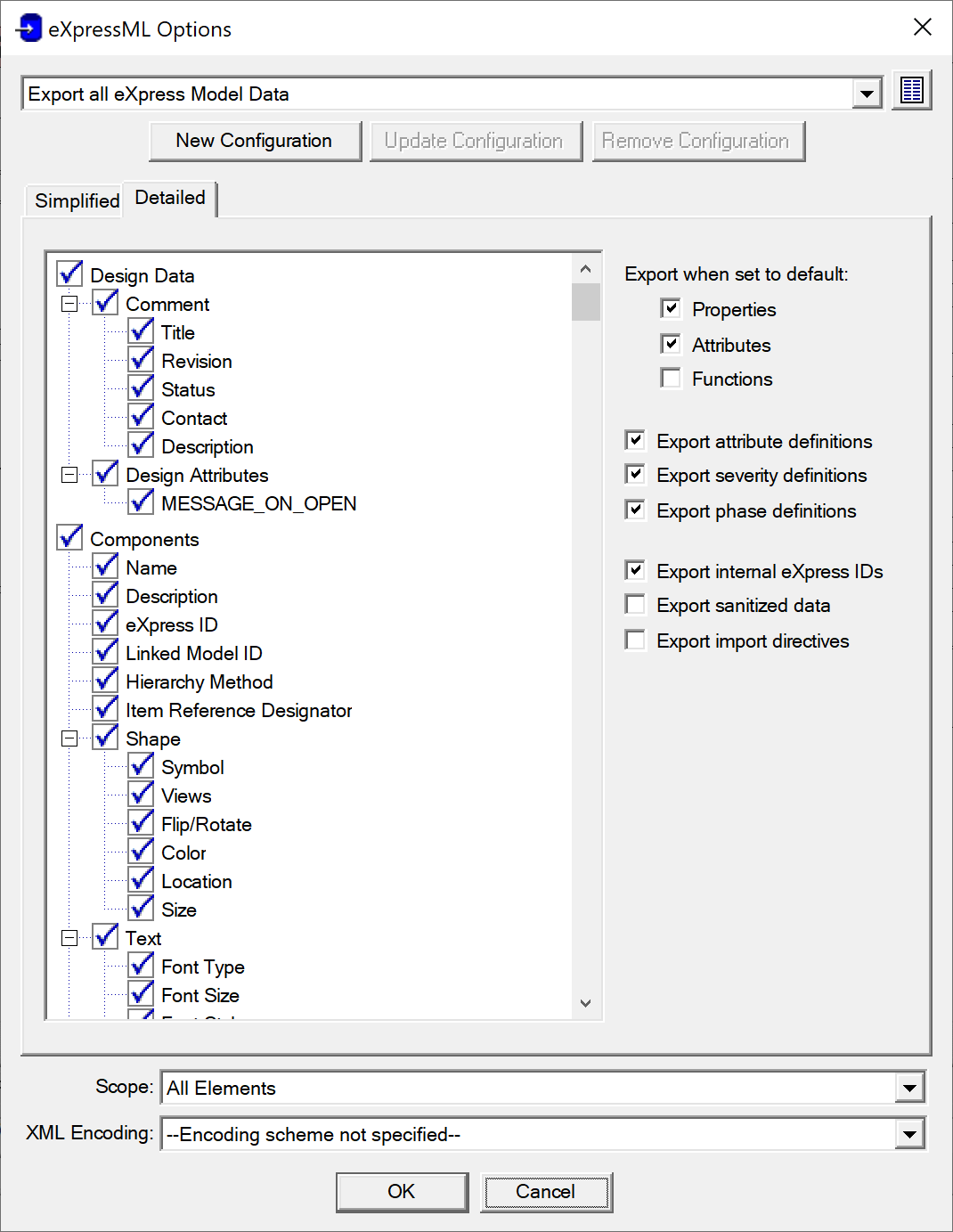
The module can generate eXpressML documents representing any subset of model data. There are a variety of ways to configure the export:
- Configurations — predefined export settings for a variety of common scenarios.
- Simplified panel — quick selection of high‑level export categories.
- Detailed panel — fine‑grained control over how each eXpressML element is generated.
Here is an example of the Detailed panel on the options dialog that appears when exporting eXpress data to eXpressML:
3. Generate eXpressML-Based Reports
The eXpressML module also provides a suite of data element reports structured around the eXpressML schema. These reports provide a standardized, interoperable view of model content for downstream tools, documentation pipelines, or integration workflows.
eXpress provides four predefined eXpressML report formats:
- Describe eXpressML Model Data Elements
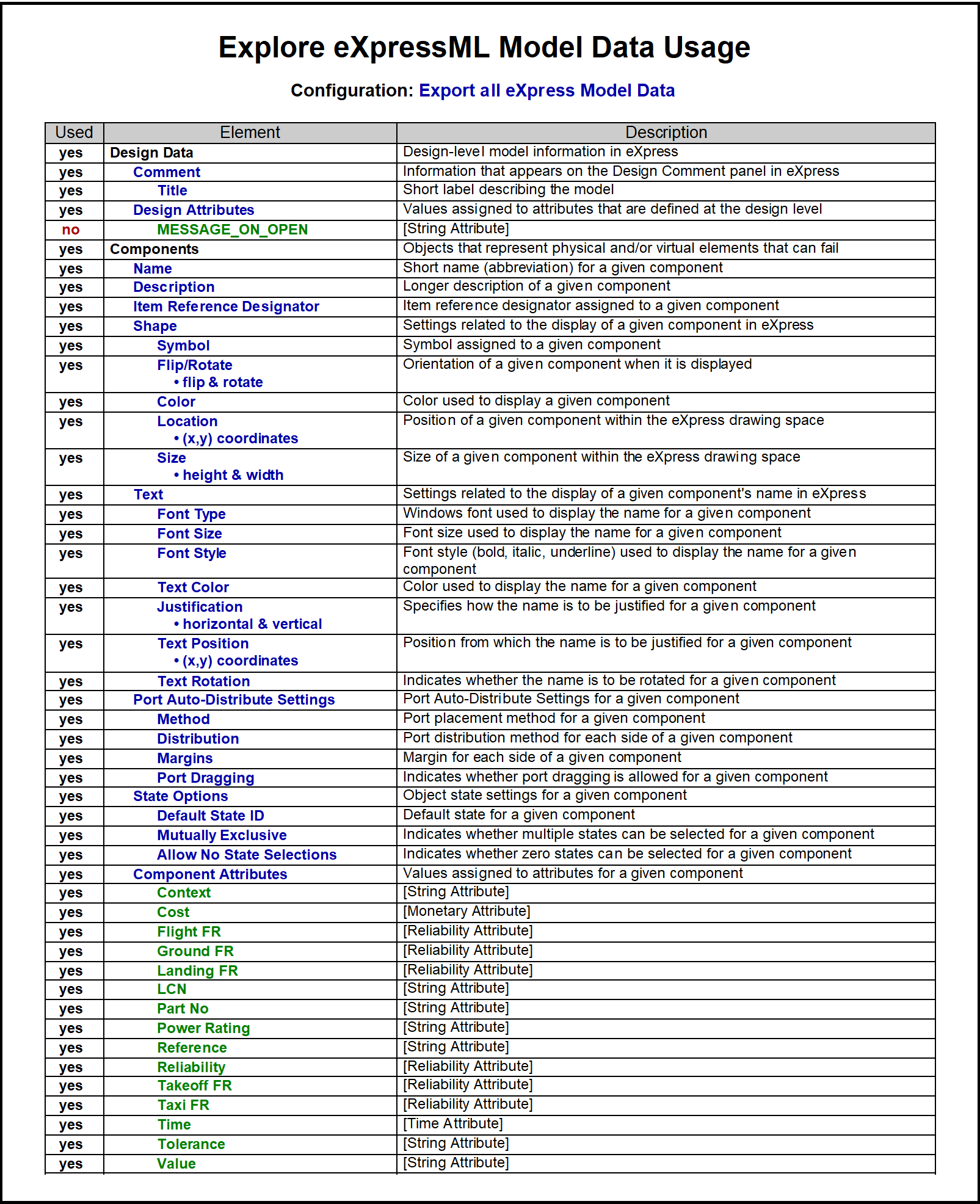
- Explore eXpressML Model Data Usage
- Document eXpressML Configuration
- List eXpressML Element Tags
Here is a sample page from one of these reports, documenting the specific eXpressML data elements (corresponding to entities, properties & attributes in eXpress) that have been utilized within a given hierarchical set of models.
4. Support Interactive Design Comments
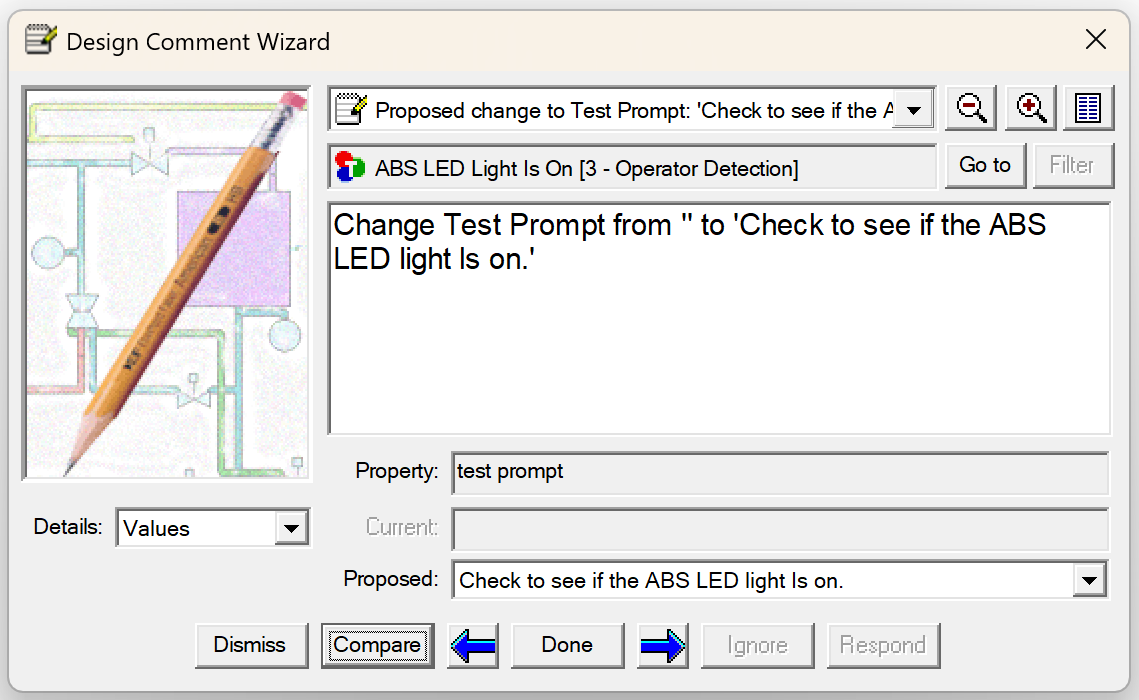
When this module is licensed, eXpress users can load, review, and address comments that have been created in the eXpressML comment format. Comments generated by eXpress—or by the Redline module in DSI Workbench or the eXpress Design Viewer—are automatically linked to their associated design elements, making it easier to review and resolve them directly within eXpress.
Advantages of using eXpressML comments include:
- Capturing feedback from engineers and customers directly within the digital thread
- Preserving the rationale behind modeling decisions as a permanent, traceable record
- Documenting issues encountered when translating data from other tools into eXpressML
- Enabling man-in-the loop automated updates driven by human or machine-generated recommendations
Here is an example comment displayed in the eXpress Design Comment Wizard. The “Compare” button at the bottom of the dialog can be used to compare before and after versions of the proposed modification and then, if desired, to automatically implement the change.
Summary
The eXpressML module is the interoperability backbone of the eXpress ecosystem — enabling import, export, and reporting of model data using a robust XML-based schema. It’s essential for teams who need to integrate diagnostic models into broader engineering workflows or automate model exchange across systems.
